Pricing configuration
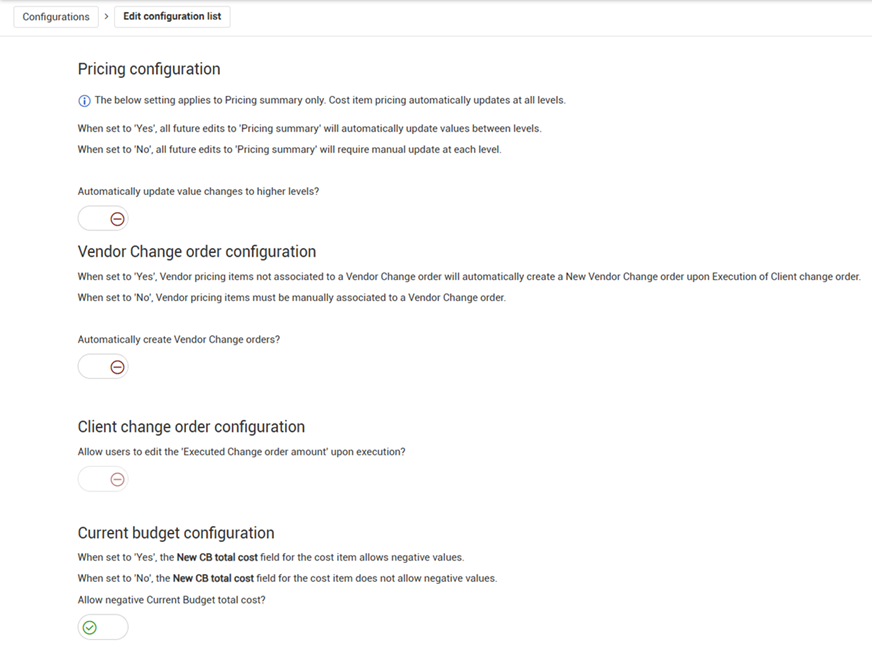
The Pricing configuration settings (Project settings > Change > Configurations > Pricing configuration) let you specify how Change manages pricing updates during the change order process.
Pricing configuration
The Pricing configuration setting controls how changes made on the Pricing summary tab update other levels. When the Automatically update value changes to higher levels toggle is set to Yes, edits made on the Pricing summary tab are automatically pushed to any associated PCOs or CCO.
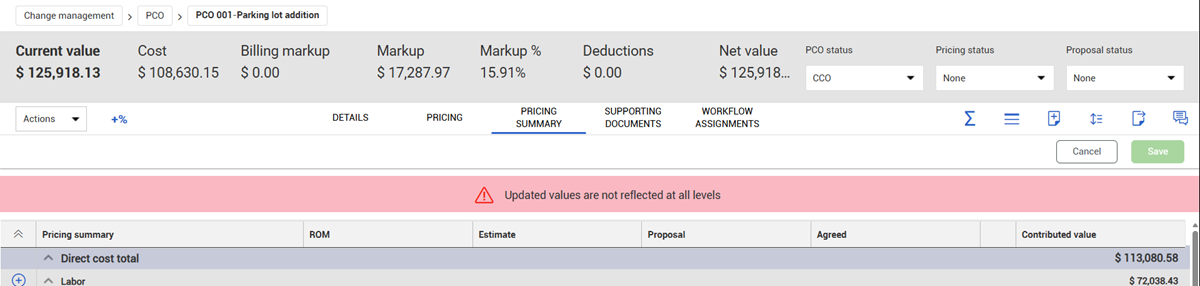
When the toggle is set to No, changes to the Pricing summary tab do not automatically update other levels. When a change is saved on the Pricing summary tab, the page shows a banner warning that the updated values are not reflected at all levels.
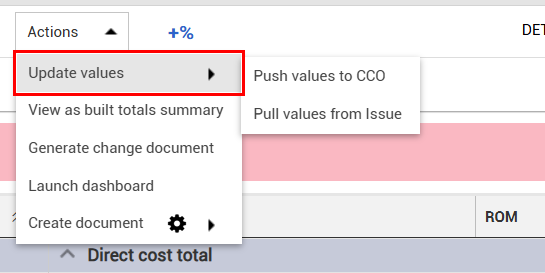
To update the values, open the Actions menu and choose Update values. Then select whether to pull values down or push values up.
Changes to the Pricing Summary tab are updated in one upstream direction.
-
From an issue, changes can be pushed to associated PCOs and CCOs.
-
From a PCO, changes can be pulled from associated issues or pushed to a CCO.
-
From a CCO, changes can be pulled from associated issues and PCOs.
This setting does not apply to updates on the Pricing tab. Edits to the Pricing tab are automatically updated across levels.
Vendor change order configuration
The Vendor Change order configuration setting applies to change orders that include vendor pricing items which are not associated to a vendor change order in InEight Contract.
When the Automatically create Vendor Change orders toggle is set to Yes, a vendor change order is automatically created when a client change order is executed. The new vendor change order includes the vendor pricing items from the executed client change order and can be edited and tracked in InEight Contract.
When the toggle is set to No, vendor pricing items must be manually associated to a vendor change order before the client change order can be executed.
Client change order configuration
The Client change order configuration setting determines whether users with the correct permissions can enter an Executed Change order amount different from the Current value of the change order during CCO execution.
See Organization settings > Pricing configuration for more details on this setting.
Current budget configuration
This setting controls whether a change order that might result in a negative current budget value in InEight Control can be executed.
When the Allow negative Current Budget total cost toggle is set to Yes, a client change order that has a negative value in the CB total cost field can be executed, and the negative values are updated in InEight Control.
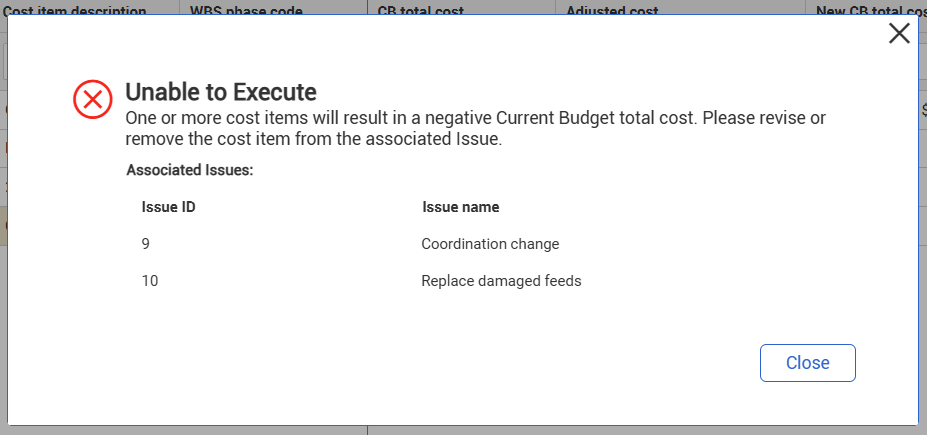
When the toggle is set to No and you try to submit a budget move or execute a change order, Change calculates whether the action could result in a negative value in the CB total cost field based on the sum of the cost items across all issues and change orders. If the sum is negative, a warning message lists the issues that include negative values for that cost item, and the budget move or change order is not submitted. Change items that have a positive value are permitted and are not shown in the warning message.